
Shawn Keene
-

Consider Services as Gifts this Christmas
This Christmas, consider tech services gifts for your non tech friends and family. Because they provide access to services and content year-round, they’re sure to be gifts that keep on giving. You don’t need to be a geek to appreciate these fine services that make great gifts for anyone.
-
![Radial Menu in OneNote MX [Video]](https://cmdrkeene.com/blog/wp-content/uploads/2012/12/radial.webp)
Radial Menu in OneNote MX [Video]
The OneNote radial menu provides finger-friendly access to common commands. When you’re familiar with the layout of the menu, you can use it without opening it first: just swipe in the direction of the command you want to select.
-
![More Commands in the Quick Access Toolbar [Video]](https://cmdrkeene.com/blog/wp-content/uploads/2012/12/Excel.webp)
More Commands in the Quick Access Toolbar [Video]
Pinning submenu commands to the toolbar not only provides more direct access, but also serves as a status indicator to a state that may otherwise be hidden. For example, now I can tell at a glance the status of my Excel workbook calculations, and change it if necessary before I make an edit that would trigger a lengthy calculation.
-
![Using Gmail in Windows 8 Mail App [Video]](https://cmdrkeene.com/blog/wp-content/uploads/2012/12/Gmail.webp)
Using Gmail in Windows 8 Mail App [Video]
Gmail’s use of labels instead of folders typically means that using the service with most mail clients can be tricky. If you know how Gmail archives instead of deletes messages though, you can more easily triage and archive mail from Windows 8.
-
![Deep Pinning on the Windows 8 Start Screen [Video]](https://cmdrkeene.com/blog/wp-content/uploads/2012/12/Deep.webp)
Deep Pinning on the Windows 8 Start Screen [Video]
Your Start screen tiles can link deeper into your apps, providing a one-touch shortcut to the content you care about most. Whether it’s people, email, news, or content from a variety of other apps, you can deep pin it on your Start screen easily.
-
![Use Quick Access from the Keyboard [Video]](https://cmdrkeene.com/blog/wp-content/uploads/2012/09/QuickAccessFileExplorer.webp)
Use Quick Access from the Keyboard [Video]
Did you know that you can add your own commands to the toolbar at the top of Microsoft Office programs? This also applies to several apps in Windows 7, and has even been expanded to the File Explorer in Windows 8!
-
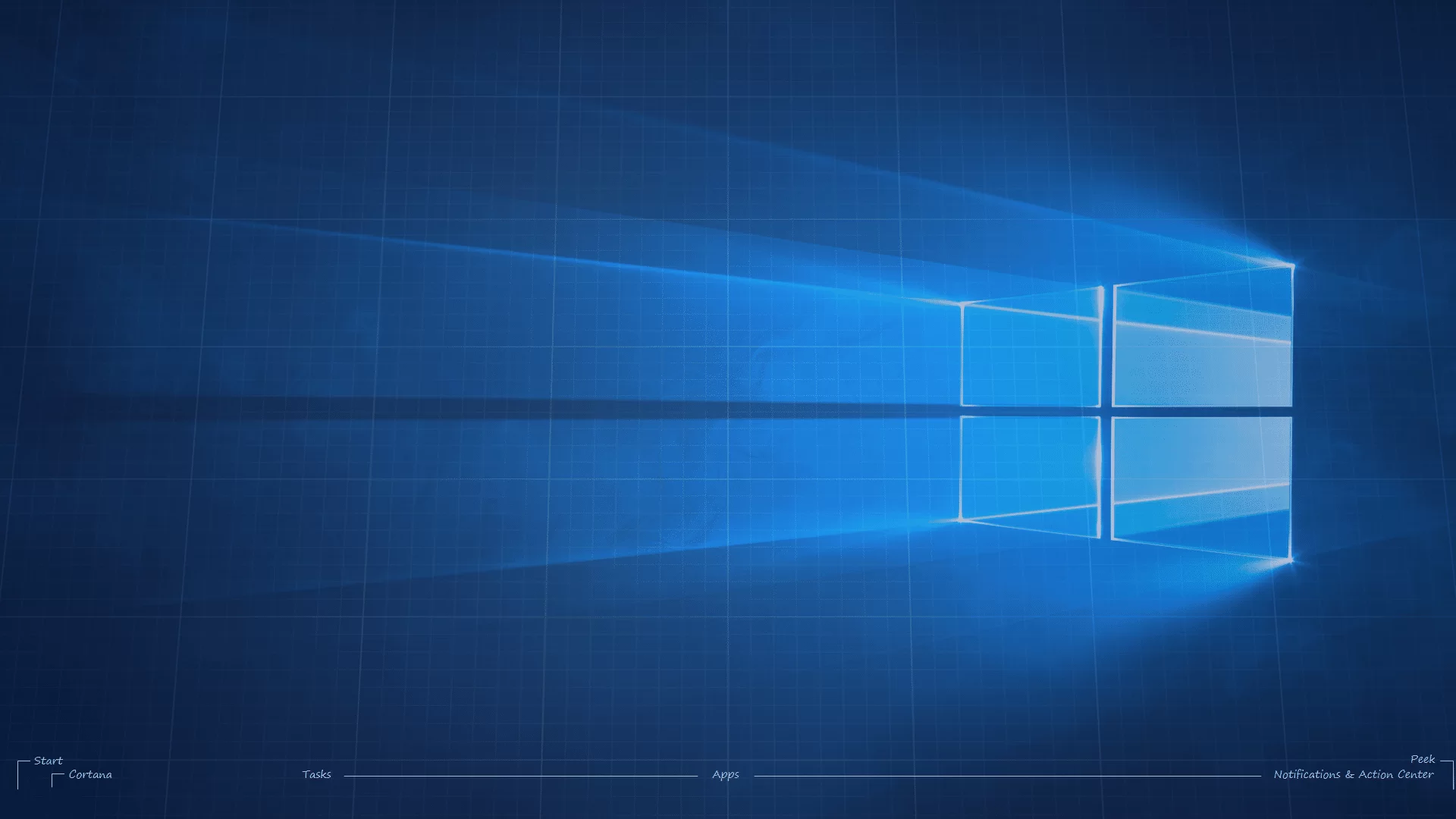
Custom OS Blueprint Wallpapers
Quite a few years ago now, I saw a really awesome wallpaper created by a Mac user. Designed in a blueprint pattern, it labeled all the standard interface elements on the screen, even the Mighty Blue Apple.
-
![Apply Folder Styles to All Subfolders [Video]](https://cmdrkeene.com/blog/wp-content/uploads/2012/09/FolderTemplates.webp)
Apply Folder Styles to All Subfolders [Video]
Have you ever wondered why different folders have different layouts in Windows, or how to apply your preferred layout to all folders? Windows actually allows you to push a folder view down to all subfolders using Folder Types (templates), but it’s not very discoverable.
-
![Enable Full File Search in Non-Indexed Folders [Video]](https://cmdrkeene.com/blog/wp-content/uploads/2012/09/Full-Search.webp)
Enable Full File Search in Non-Indexed Folders [Video]
Enable deep searching inside files in all folders, even if the search system hasn’t indexed the location. Searches in these places might take longer because they haven’t been scanned ahead of time, but this will provide consistent search experience everywhere.
-
![Sync Your Libraries to SkyDrive [Video]](https://cmdrkeene.com/blog/wp-content/uploads/2012/09/SkyDrive.webp)
Sync Your Libraries to SkyDrive [Video]
With this tip, you can tell your Libraries to save to SkyDrive for seamlessly enabling any app to save to the cloud. SkyDrive lets you keep your files in the cloud and your computer in constant sync, and allows for access anywhere from your smart phone or any browser. You can even remotely fetch files that you didn’t sync as long as the remote computer is powered up.