
Windows
-
![Instantly Search Inside More File Types [Video]](https://cmdrkeene.com/blog/wp-content/uploads/2012/09/FileTypes.webp)
Instantly Search Inside More File Types [Video]
Need to find some code, script, or other text in non-standard files? Let Windows Search index and provide instant results for CSS, JavaScript or other file types by setting up content indexing for more file types in Windows Vista, Windows 7, or Windows 8.
-
![Automatically Login to Windows [Video]](https://cmdrkeene.com/blog/wp-content/uploads/2012/07/AutoLogin.webp)
Automatically Login to Windows [Video]
Have you ever wanted to bypass the Windows login screen? Believe it or not, auto-login has been available in Windows for decades, but the options to enable this feature are hidden with good reason: carelessly enabling automatic login can be risky
-
Ask a Geek: Bloated Computers
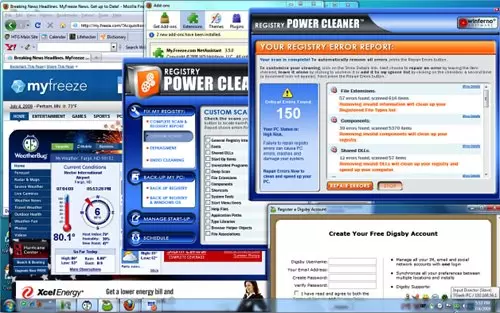
If you’re looking for a new PC, you can ask any geek and they’ll tell you to build clean. Their reason is simple: the manufacturer’s cripple their own products before they ever send it to you. Even if you buy direct, original equipment manufacturers make money by pre-installing trials, games, bundles, even spyware on to their computers. Resellers from BestBuy to Walmart are even worse. Make no mistake: you’re being sold out before you even buy.
-
Boost Windows Search in Two Steps
Many of even the most infrequent of Internet users has experienced instant searches by now, where search suggestions (or even full results) appear live while you type, before you even press Enter. It seems like magic, searching the entire world as fast as you can type. But did you know your Windows PC has the same power?
-
Speed up your computer with eye candy?
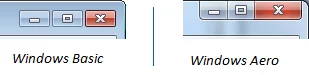
Has your computer ever re-drawn the screen slowly? Or has a lagging program ever turned black or duplicated itself like this as you try to drag it around? You can alleviate these slow-downs and even prevent GDI driver-mode related crashes by using Windows Aero, available in Windows Home Premium and higher editions. You can tell if Aero is on by looking at the top of almost any window. If the window controls (known as caption buttons) are touching the edge, you’re using Aero. It’s a subtle indicator, but it’s there: The Aero design also has translucent effects, like real glass…