
Tech
indulgences into my geek side
-
![Apply Folder Styles to All Subfolders [Video]](https://cmdrkeene.com/blog/wp-content/uploads/2012/09/FolderTemplates.webp)
Apply Folder Styles to All Subfolders [Video]
Have you ever wondered why different folders have different layouts in Windows, or how to apply your preferred layout to all folders? Windows actually allows you to push a folder view down to all subfolders using Folder Types (templates), but it’s not very discoverable.
-
![Enable Full File Search in Non-Indexed Folders [Video]](https://cmdrkeene.com/blog/wp-content/uploads/2012/09/Full-Search.webp)
Enable Full File Search in Non-Indexed Folders [Video]
Enable deep searching inside files in all folders, even if the search system hasn’t indexed the location. Searches in these places might take longer because they haven’t been scanned ahead of time, but this will provide consistent search experience everywhere.
-
![Sync Your Libraries to SkyDrive [Video]](https://cmdrkeene.com/blog/wp-content/uploads/2012/09/SkyDrive.webp)
Sync Your Libraries to SkyDrive [Video]
With this tip, you can tell your Libraries to save to SkyDrive for seamlessly enabling any app to save to the cloud. SkyDrive lets you keep your files in the cloud and your computer in constant sync, and allows for access anywhere from your smart phone or any browser. You can even remotely fetch files that you didn’t sync as long as the remote computer is powered up.
-
![Changing the Xbox Keyboard Layout [Video]](https://cmdrkeene.com/blog/wp-content/uploads/2012/09/Xbox.webp)
Changing the Xbox Keyboard Layout [Video]
Did you know the Xbox on-screen keyboard can be placed in different orders to suit your preference? If you’re a touch typist that already knows the positions of keys as they exist on a standard keyboard, you might be slowed down when typing on the default Xbox keyboard that places keys in alphabetical order. Or you might be the opposite entirely. Here’s how to switch it up. On your Xbox home screen, go to Settings, System Settings, choose Language and Locale, and then finally select the Language option. To use a standard keyboard layout, choose English (QWERTY), or just plain…
-
![Instantly Search Inside More File Types [Video]](https://cmdrkeene.com/blog/wp-content/uploads/2012/09/FileTypes.webp)
Instantly Search Inside More File Types [Video]
Need to find some code, script, or other text in non-standard files? Let Windows Search index and provide instant results for CSS, JavaScript or other file types by setting up content indexing for more file types in Windows Vista, Windows 7, or Windows 8.
-
![Automatically Login to Windows [Video]](https://cmdrkeene.com/blog/wp-content/uploads/2012/07/AutoLogin.webp)
Automatically Login to Windows [Video]
Have you ever wanted to bypass the Windows login screen? Believe it or not, auto-login has been available in Windows for decades, but the options to enable this feature are hidden with good reason: carelessly enabling automatic login can be risky
-
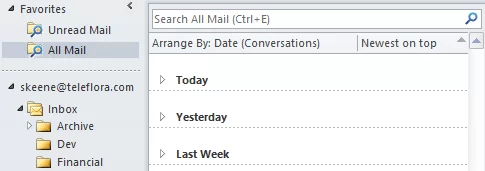
Bring Gmail-style workflow to Outlook
Among the top features called out by any gmail fan is the archive button, which acts as a simple dismissal of a message. Archiving removes an entire email conversation thread from your inbox, while keeping it accessible under all mail, or any number of labels. It’s an extremely efficient hybrid method between piling and filing, because it rescues the user from obsessive organizing, and later, searching… ‘where did I put that message from the boss, his folder or the one for the project… hmm’. Today I’d like to share how I’ve setup my Microsoft Outlook inbox to behave similarly to Gmail. While…
-
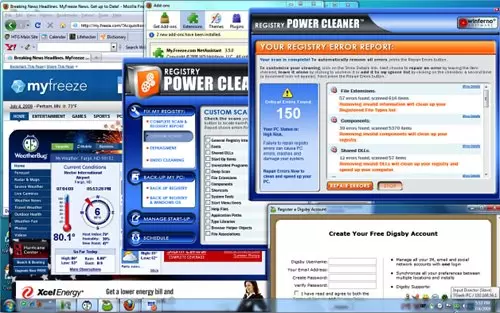
Ask a Geek: Bloated Computers
If you’re looking for a new PC, you can ask any geek and they’ll tell you to build clean. Their reason is simple: the manufacturer’s cripple their own products before they ever send it to you. Even if you buy direct, original equipment manufacturers make money by pre-installing trials, games, bundles, even spyware on to their computers. Resellers from BestBuy to Walmart are even worse. Make no mistake: you’re being sold out before you even buy.
-
Boost Windows Search in Two Steps
Many of even the most infrequent of Internet users has experienced instant searches by now, where search suggestions (or even full results) appear live while you type, before you even press Enter. It seems like magic, searching the entire world as fast as you can type. But did you know your Windows PC has the same power?
-

Microsoft MVP Award 2012
I’m thrilled and honored to have been re-awarded as a Microsoft MVP for 2012. My award date is April 1, so you’ll understand the delay my boasting — would you have believed me last week? The award box arrived yesterday evening, where I promptly ripped the box apart like a kid on Christmas morning. Here’s a look at what’s inside: There’s the new certificate and ID badge for the new year, along with a 2012 year disc to stack into the award stand itself, pictured below. There is also a new lapel pin, stickers, and the usual metric tonnage of…